MyChart Activation Code – Complete Guide to Activating Your MyChart Account
Need to activate your MyChart account but don’t know where to find or how to use your activation code? A MyChart Activation Code helps eligible patients get started with their MyChart account and access their healthcare information through the patient portal.
Whether you received the code from a hospital, clinic, or healthcare provider, knowing how to use it can make the activation process much easier. We explain how to get and use it, where to find it, and what to do if your code is expired, lost, invalid, or not working.
What Is a MyChart Activation Code?
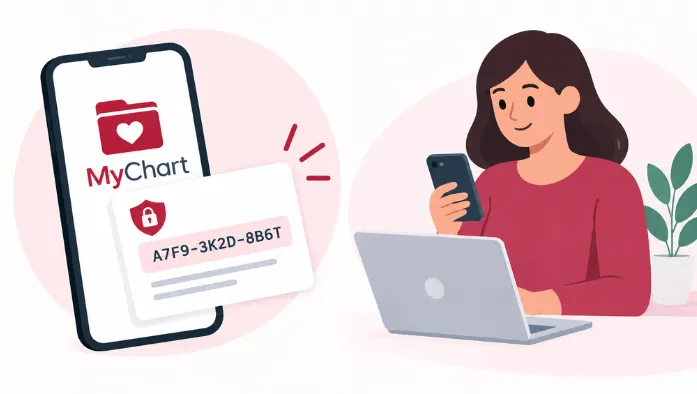
It is a code provided by a participating healthcare organization to help a patient activate a MyChart account. It is commonly provided after a medical visit or through healthcare-related documents or communications.
The code is used during the initial registration process and helps connect your MyChart account with the appropriate healthcare organization.
How Does a Code Work?
Code is used during the initial account registration process to help connect your patient information with a new MyChart account. After receiving the code, you enter it on the appropriate MyChart activation page along with the requested personal details.
Once the information is verified, you can complete your account setup by creating your MyChart login credentials. Whether an activation code is required and exactly how the process works can vary depending on your healthcare organization.
MyChart Activation Code vs MyChart Login
|
Feature |
MyChart Activation Code |
MyChart Login |
|
Main purpose |
Activates a new MyChart account |
Accesses an existing account |
|
Usually needed |
During initial registration |
After account activation |
|
Information used |
Activation code and personal details |
Username and password |
|
Account status |
Helps create or activate access |
Provides access to an active account |
How to Get an Activation Code
There are several ways to get it. The process below explains the common ways you can receive or request an activation code.
- Ask your healthcare provider for an activation code if you want to create a MyChart account.
- Check during or after your medical visit for MyChart activation information.
- Look at your after-visit summary for an activation code and registration instructions.
- Check your healthcare provider’s MyChart website for an online activation option.
- Contact your hospital, clinic, or health system if you need a new activation code.
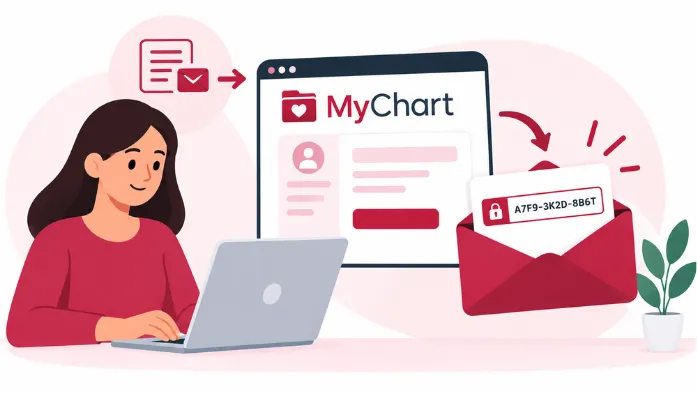
- Check your email for activation instructions if your healthcare organization provides codes.
Where to Find Your Activation Code
Your Code can be provided in different messages from your healthcare organization. The following sections explain the common places where you can look for your activation code.
On Your After-Visit Summary
Check your after-visit summary for MyChart registration information. If an activation code was provided, it may be included with the instructions for accessing the patient portal.
In Your Healthcare Documents
Review documents from your healthcare provider for MyChart activation instructions. The exact location and format of the code can vary.
From Your Doctor or Clinic
Your doctor or clinic provides information about activating MyChart during your visit. Ask staff if you are unsure where your activation information is located.
From Your Hospital
Hospitals that offer MyChart may provide activation instructions when you receive care. Check the documents or information given to you by the hospital.
In an Email or Letter
If your healthcare organization sends activation information by email, check the message for your code. Follow the registration instructions provided with it.
How to Use an Activation Code
Once you have a valid activation code, you can use it during the registration process for your healthcare organization’s MyChart portal.
The steps below explain how to enter your activation code and complete your MyChart account registration.
- Open the MyChart website or activation page provided by your healthcare organization.
- Enter the activation code exactly as it appears on your document or message.
- Provide the requested personal information to verify your identity.
- Create your MyChart username and password when prompted.
- Complete any required verification steps.
- Finish the registration process to activate your account.
Activation Code for New Users
New users can use a it to start the registration process and create their first account. The activation steps include verifying personal information and setting up account details.
If you are a new patient and have not received activation instructions, contact your healthcare organization for guidance. Follow the registration steps provided to complete your MyChart account setup.
Activation Code for Existing Users
Existing MyChart users generally do not need to activate the same account again. However, a new activation code may be needed when accessing MyChart through another healthcare organization or completing a new registration process.
If you receive a new code, follow the instructions from that organization to access or connect the available healthcare information. The exact options can vary between MyChart organizations.
MyChart Activation Code Not Working
If your activation code is not working, the following sections cover the most common reasons and the steps you can take to resolve them.
Code Error
An activation error can occur when the information entered does not match the registration requirements. Review the displayed message for guidance.
Code Invalid
If MyChart says the code is invalid, carefully re-enter it and confirm that you are using the portal associated with the organization that issued it.
Code Not Accepted
Make sure you entered the activation code correctly. Your personal information should also match your healthcare organization’s records.
MyChart Activation Page Not Working
If the activation page itself is not responding, refresh the page and try again. You can also try another supported browser or contact your healthcare organization if the problem continues.
Code Login Not Working
If you are trying to use an activation code on a regular login screen, check that you are following the registration instructions instead.
Activation Code Expired
It can expire after a certain period set by the healthcare organization. An expired code usually cannot be used to complete your account registration.
If your code has expired, contact the healthcare organization that issued it to request a new one. Check their instructions to see whether a replacement code can also be requested online.
Activation Code Problems and Fixes
If you are having trouble with your activation code, the following sections cover common problems and simple ways to fix them.
Check the Activation Code Carefully
Activation codes can contain several characters that are easy to mistype. Enter the code exactly as provided and check it before submitting.
Make Sure You Are Using the Correct MyChart Portal
Use the MyChart portal associated with the healthcare organization that issued your code. A code may not work if you are attempting to activate it through another organization’s portal.
Check the Code Expiration
Review the activation instructions to determine whether the code has expired. An expired code may require replacement.
Make Sure Your Personal Information Matches
Enter your personal information exactly as requested. Differences between the information you enter and the information held by the healthcare organization may prevent activation.
Request a New Activation Code
If the code is expired, lost, or otherwise unusable, ask the healthcare organization about receiving another activation code.
Contact Your Healthcare Organization
If you have completed the basic checks and still cannot activate your account, contact the organization that issued the code for further assistance.
Activation Code Security
Your activation code should be treated as private information because it can be used during the process of establishing access to your health information.
- Do not share your activation code with other people.
- Avoid posting the code in public messages or online forums.
- Use the activation code only through the MyChart portal provided by your healthcare organization.
- Contact your healthcare organization if you believe someone else has obtained your code.
Conclusion
A MyChart Activation Code is used to help eligible patients register and activate their MyChart account. You may receive the code through your healthcare provider, after-visit documents, or other registration communications.
If your code is expired, lost, or not working, check the activation details first and contact the healthcare organization that issued it when necessary. Once activation is complete, you can use your MyChart account through the supported services provided by your healthcare organization.